10 Free AI Content Tools That Don't Make Your Writing Sound Like ChatGPT (2026)

Founder and CEO of Ozigi. Writes about content strategy and the architecture of AI tools for technical creators.
TL;DR
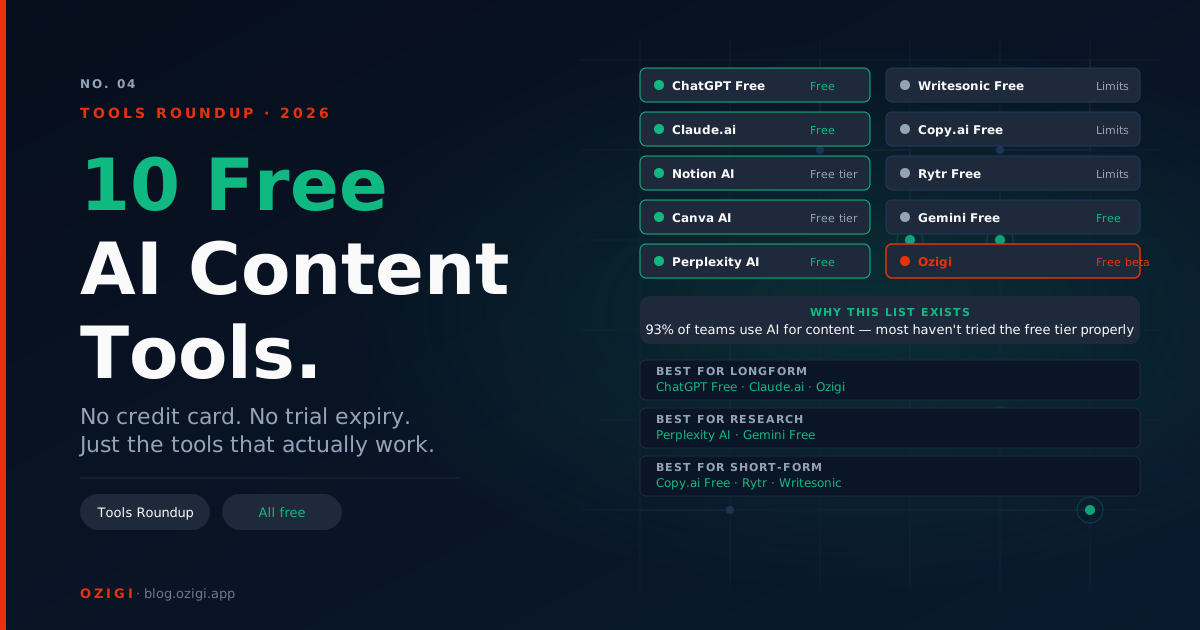
Free AI writing tools fall into three buckets: actually free (real features, no card required), trial-as-free (14 to 30 days then paid), and free-but-broken (limits so tight you'll hit them in one session). This list covers the 10 free tools worth keeping in a 2026 content stack, what each one does well, where the free tier runs out, and which ones to pair so the output does not sound like every other AI-generated post. Ozigi is at the top of the list for a specific reason: it is the only one built around producing output that does not pattern-match to AI on first read.
Why This List Exists
The dirty secret of "free AI content tools" lists is that most of them recommend trial-as-free options and call them free. A 7-day trial that asks for a credit card is not free. A 250-subscriber cap that locks you out the moment you add your eleventh contact is not free.
This list applies a simpler standard. A tool counts as free if you can use it for real work without paying and without surrendering payment information up front. Where a free tier has hard limits, those limits are named explicitly. The pricing data was verified in May 2026, and the limits cited are what the vendors publish, not what users assume.
The other dirty secret is that most free AI tools produce the same prose. The vocabulary gives them away: "delve," "robust," "seamless," "leverage," "in today's fast-paced." LinkedIn's 360Brew algorithm now suppresses content that pattern-matches to AI generation, and median organic reach fell roughly 47% between mid-2024 and mid-2025 according to AuthoredUp's reach study of over three million posts. Free AI tools that produce slop are not actually free. They cost you distribution.
1. Ozigi (Free Tier, No Credit Card)
What it does: Takes raw signal (URLs, PDFs, notes, podcast transcripts, course decks) and produces multi-platform content shaped by a persona-driven voice profile. Direct publishing to X, LinkedIn, Discord, Slack, and email newsletters.
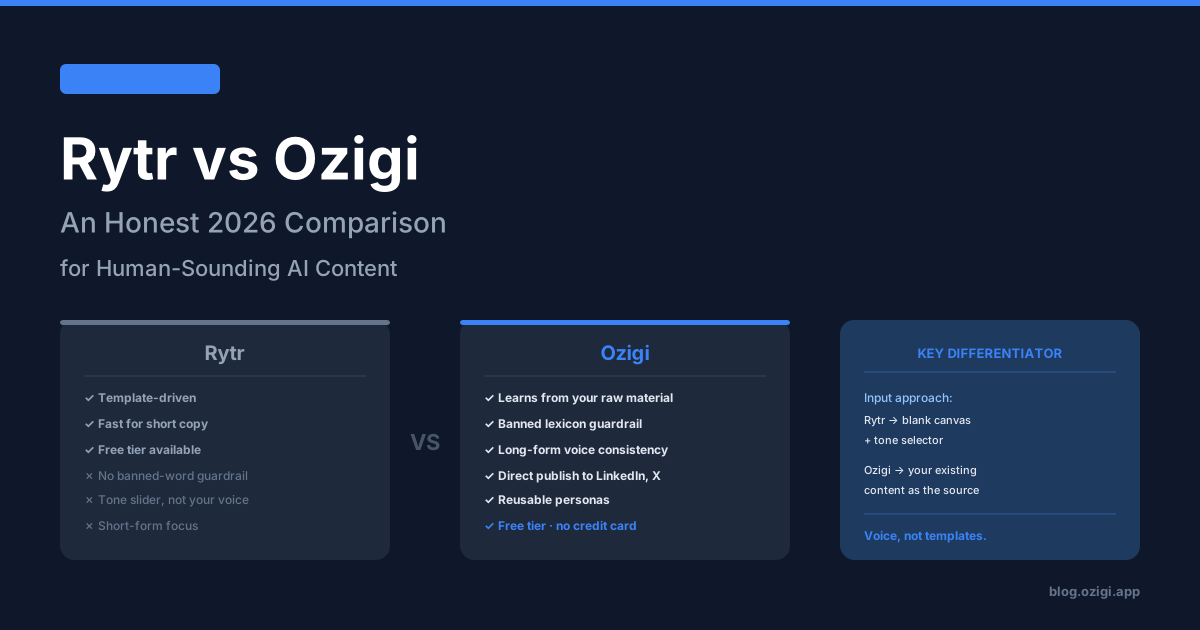
Why it's on the list: Ozigi is the only tool here that enforces a banned lexicon at the API layer. Words and phrases the model is forbidden from producing ("delve," "robust," "tapestry," "in today's fast-paced") are blocked at generation, not flagged afterward. The banned lexicon validator architecture catches the roughly 20% of cases where prompt instructions alone fail.
Free tier reality: No credit card. No trial period. The unauthenticated path lets you generate a campaign without signing up at all. Premium features (history, persona management, Discord integration) are gated behind paid plans, but the core AI generation is fully accessible.
Where it runs out: Single-user today. If you need team workflows or compliance integrations, this is not the tool yet.
Best paired with: A scheduler for platforms Ozigi does not publish to (Instagram, TikTok, YouTube) and a grammar checker for final proofing.
2. LanguageTool (Free, Genuinely Unlimited)
What it does: Grammar and spelling correction across 30+ languages with browser extensions, desktop apps, and a self-hosted option for privacy-sensitive use.
Why it's on the list: Grammarly's free tier is now capped at 100 words per check with most useful features locked behind Premium. LanguageTool's free tier allows up to 20,000 characters per check with no account required, and the multilingual support is the most comprehensive in the category.
Free tier reality: Up to 20,000 characters per check. Works in Gmail, Google Docs, WordPress, Notion, and most web editors via the LanguageTool browser extension.
Where it runs out: Advanced suggestions (rephrasing, picky checking, more languages) require LanguageTool Premium at approximately $5 to $7 per month.
Best for: Multilingual writers, anyone who hit Grammarly's free-tier walls, privacy-conscious users.
3. Hemingway Editor (Free Web Version)
What it does: Highlights hard-to-read sentences, passive voice, excessive adverbs, and overly complex phrasing. Color-coded feedback shows exactly what to simplify.
Why it's on the list: It does one thing well and the free web version has no account requirement, no character limit, and no upsell prompts. The 2026 Plus tier added AI rewrites at $19.99 one-time for the desktop app, but the web version remains free and unlimited.
Free tier reality: Head to hemingwayapp.com, paste your text, and get analysis instantly. No login, no email harvest.
Where it runs out: Hemingway does not check grammar or spelling. It is a clarity tool, not a comprehensive proofreader.
Best for: Bloggers, content marketers, and anyone whose drafts read as too dense or academic.
4. ChatGPT Free Tier
What it does: General-purpose AI assistant with web browsing, image generation (limited), and access to GPT-4o.
Why it's on the list: OpenAI's free tier in 2026 includes GPT-4o access with usage caps, browsing, file uploads, and DALL-E 3 image generation. For brainstorming, outline drafting, and one-off tasks, it is the most capable free generalist AI available.
Free tier reality: Usage caps reset every few hours. Heavy use will hit limits within an afternoon and force you to wait or upgrade to ChatGPT Plus at $20 per month.
Where it runs out: Brand voice consistency is nonexistent. Output reads as default ChatGPT unless you put significant prompt-engineering effort in. There is no banned vocabulary system.
Best paired with: Ozigi for content that needs a specific voice, Hemingway for readability cleanup, LanguageTool for grammar.
5. Claude Free Tier (Anthropic)
What it does: Conversational AI with a 200,000-token context window, capable of analyzing long documents and producing nuanced writing.
Why it's on the list: Claude's free tier handles longform analysis better than ChatGPT's free tier. The longer context window means you can paste an entire article, research paper, or codebase and get coherent analysis without chunking.
Free tier reality: Daily message caps reset after a few hours. Claude Pro is $20 per month and lifts the cap significantly.
Where it runs out: Same as ChatGPT for brand voice. Claude is the better generalist for long inputs and reasoning tasks. It is not built for multi-platform content publishing or persona-driven generation.
Best for: Document analysis, longform editing passes, technical writing with substantial source material.
6. Canva Magic Write (Free Tier)
What it does: AI text generation inside Canva's design tool, plus AI image generation, background removal, and layout suggestions.
Why it's on the list: Canva's free tier includes Magic Write with monthly credits, which is enough for occasional caption writing inside a design workflow. For solo creators who design and write in the same tool, the bundling matters.
Free tier reality: Limited Magic Write credits per month on the free plan. Canva Pro is $14.99 per month.
Where it runs out: Output quality is mediocre. Magic Write is convenience-first, not quality-first.
Best for: Creators who design first and write second. If writing is your primary output, this is not the tool.
7. Buffer (Free Plan With AI Assistant Included)
What it does: Social media scheduling with an AI Assistant for caption variations, tone adjustment, and translation.
Why it's on the list: Buffer's free plan covers three social channels with basic scheduling and includes AI Assistant access. For solo creators who need free scheduling on the platforms Ozigi does not publish to (Instagram, TikTok, YouTube, Threads, Bluesky), Buffer is the cheapest credible option.
Free tier reality: Three channels, 10 scheduled posts per channel, AI Assistant access. Per-channel pricing on paid plans starts at $5 per month annually.
Where it runs out: AI Assistant produces generic captions that need significant editing. No brand voice training, no banned vocabulary.
Best paired with: Ozigi for the actual writing, Buffer for the scheduling to platforms Ozigi does not cover.
8. Buttondown (Free Up to 100 Subscribers)
What it does: Minimalist Markdown-first newsletter platform with full feature access on the free tier including custom domains, API access, and RSS-to-email.
Why it's on the list: Most newsletter platforms cripple their free tier. Buttondown limits subscriber count (100) but gives full feature access at that limit. For testing a newsletter idea or building from zero, that trade-off is honest.
Free tier reality: 100 subscribers, unlimited sends, full feature access. Buttondown paid plans from $9 per month.
Where it runs out: The 100-subscriber cap is tight. By the time you cross 50 subscribers, you are planning for the upgrade. See our full breakdown of free newsletter tools if you need a higher cap without paying.
Best paired with: Ozigi for newsletter content generation, Buttondown for the sending layer until you outgrow it.
9. EmailOctopus (Free Up to 2,500 Subscribers)
What it does: Email marketing platform with 2,500 subscribers and 10,000 monthly emails on the free plan.
Why it's on the list: The most generous free subscriber cap in the email marketing category in 2026. Mailchimp now caps free at 250 subscribers. MailerLite reduced from 1,000 to 500 in September 2025. EmailOctopus held the line at 2,500.
Free tier reality: 2,500 subscribers, 10,000 emails per month, basic automations, forms, landing pages. EmailOctopus paid plans from $9 per month.
Where it runs out: The UI is dated compared to Beehiiv or MailerLite. Templates are basic. No advanced segmentation on the free tier.
Best paired with: Ozigi for newsletter writing, EmailOctopus for the sending infrastructure once you exceed 100 subscribers.
10. Beehiiv Launch (Free Up to 2,500 Subscribers)
What it does: Newsletter-first publishing platform with website builder, subscriber analytics, and unlimited email sends on the free tier.
Why it's on the list: Beehiiv's Launch plan gives you 2,500 subscribers, unlimited email sends, custom domains, a podcast channel, and the full publishing environment without payment. The catch: AI features, monetization tools, and advanced analytics require the Scale plan at $49 per month.
Free tier reality: 2,500 subscribers, unlimited sends, custom domain, basic analytics, no AI tools.
Where it runs out: The AI Writing Assistant is gated behind Scale. Boosts (the cross-promotion ad network) and paid subscription tooling are also Scale-only.
Best paired with: Ozigi for the writing (which makes the missing Beehiiv AI irrelevant), Beehiiv Launch for the sending and growth infrastructure.
What Free Tools to Skip in 2026
Three honest call-outs.
Grammarly's free tier has been steadily reduced since the 2021 Intuit-era pricing changes carried over to the broader category. The free version now caps at 100 words per check and hides the most useful suggestions behind the Premium paywall at $144 per year. LanguageTool's free tier handles the same job better at no cost.
Mailchimp's free plan is now 250 subscribers and 500 emails per month, with automation removed entirely in June 2025. EmailOctopus, Beehiiv Launch, and MailerLite all offer significantly more on their free tiers.
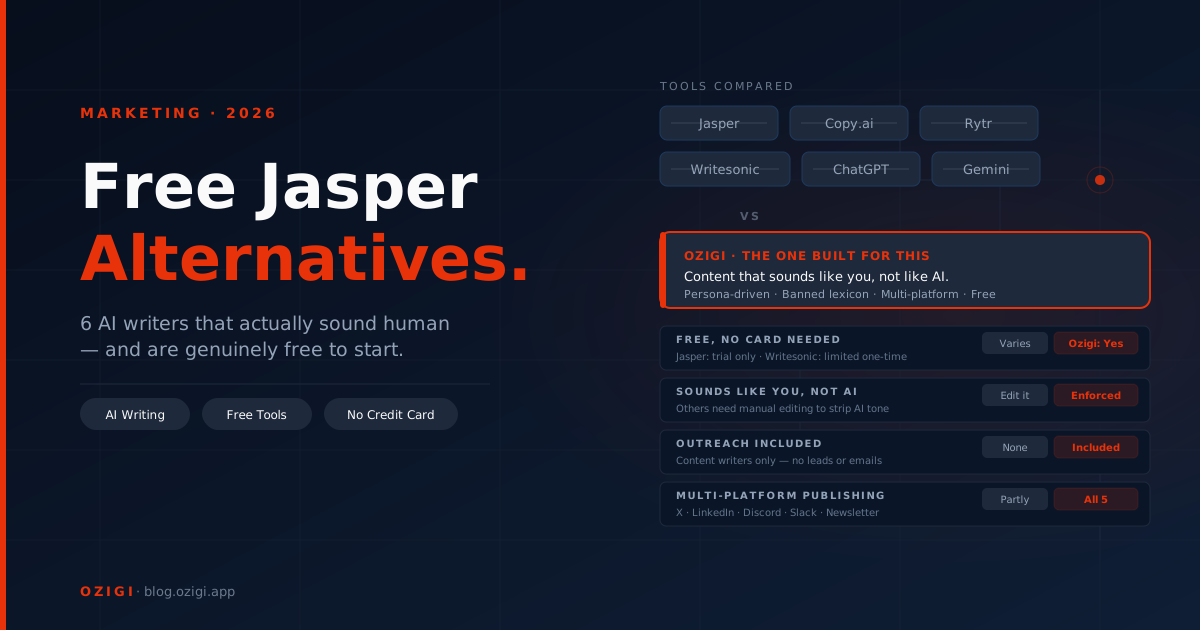
Trial-as-free tools (Jasper, Copy.ai Pro, Writesonic, Hootsuite OwlyWriter). All require a credit card or convert to paid after a short trial. For "free AI content tools," they do not qualify.
The Recommended Free Stack for 2026
The honest combination most solo creators or small teams should run:
- Ozigi for content generation, persona-driven voice, multi-platform repurposing, and direct publishing to X, LinkedIn, Discord, Slack, and email
- LanguageTool for grammar and spelling across all the surfaces Ozigi does not directly proof
- Hemingway Editor for the final readability pass before publishing
- Buffer's free tier for scheduling on Instagram, TikTok, YouTube, or Threads
- EmailOctopus or Beehiiv Launch for newsletter sending at scale
Total cost: $0 per month. Total surface coverage: every major social platform plus newsletters at up to 2,500 subscribers.
Compare this to the equivalent paid stack (Jasper Creator at $39 + Hootsuite Standard at $99 + Beehiiv Scale at $49 + Grammarly Premium at $12 = $199 per month, or $2,388 per year) and the free stack is not a compromise. It is the smarter setup for most independent operators.
How to Stress-Test the Stack in One Afternoon
- Open Ozigi's free long-form article generator and use the unauthenticated path. Drop in a recent piece of source material.
- Generate a multi-platform campaign.
- Run the longform draft through Hemingway and LanguageTool.
- Connect Buffer's free tier and schedule the social posts to the platforms Ozigi does not natively cover.
- Send the newsletter draft via Buttondown (under 100 subs), EmailOctopus, or Beehiiv Launch.
- Compare against your current workflow. Count the time saved and the dollars not spent.
The Ozigi free tier exists because the comparison sells the product better than the marketing page does. The unauthenticated path means you can run this test in under 15 minutes.
FAQ
What is the best free AI content tool in 2026? For producing content that does not sound like AI generated it, Ozigi. For grammar and spelling, LanguageTool. For readability, Hemingway Editor. Most serious workflows combine two or three rather than relying on one.
Is Ozigi really free? Yes. The free tier has no credit card requirement, and the unauthenticated path lets you generate a campaign without signing up. Premium features like persona management, history, and Discord publishing are paid, but core AI generation is free.
What free tools replace Grammarly Premium? LanguageTool's free tier handles grammar and spelling across 30+ languages. Hemingway Editor handles readability. Together they cover the vast majority of what Grammarly Premium offers at no cost.
Which free newsletter platform has the highest subscriber limit? EmailOctopus and Beehiiv Launch both offer 2,500 subscribers free. Buttondown is more limited at 100 subscribers but gives full feature access at that scale. For a detailed comparison, see our guide to free newsletter tools in 2026.
Can I run a real content operation entirely on free tools? Yes, up to a meaningful scale. The free stack of Ozigi plus LanguageTool plus Hemingway plus Buffer free plus EmailOctopus or Beehiiv Launch covers single-operator content workflows up to roughly 2,500 newsletter subscribers and standard social posting cadence. The honest upgrade point comes when you need team workflows, paid subscription tooling, or social listening.
Why are most "free AI tool" lists misleading? Most lists recommend trial-as-free options (Jasper, Hootsuite, Copy.ai Pro) and call them free because they offer a 7-day or 14-day trial. A free tier means usable indefinitely without payment. By that standard, most lists are recommending paid tools.
What changed about free tiers in 2025 and 2026? The broader industry shrank free tiers significantly. Mailchimp dropped to 250 subscribers and removed automation. MailerLite reduced from 1,000 to 500 subscribers. Grammarly tightened the free version's useful suggestions. The tools on this list either held their free tiers steady or expanded them.
Is the Ozigi codebase open source? Yes, on GitHub at Ozigi-app/OziGi. The banned lexicon validator and persona system are documented on the Ozigi blog.
This article was generated and refined on Ozigi. Try the free long-form article generator yourself — no signup required.
About the author
Founder and CEO of Ozigi. Writes about content strategy and the architecture of AI tools for technical creators.